Overview
Communicate updates
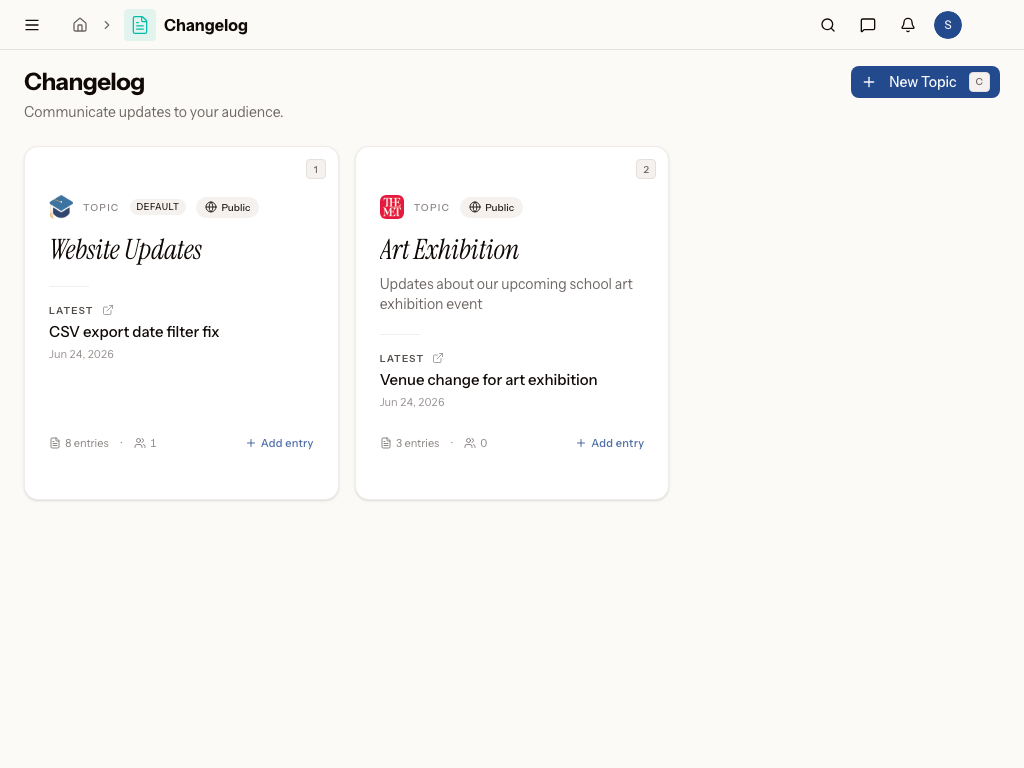
What is Changelog?
Changelog is the module for keeping people informed. It gives you a single place to write, organize, and publish entries about what's changed — whether that's a new product feature, a policy update, or a scheduled system outage — so your audience always knows what's new and what to expect.
Who uses Changelog?
- IT managers publishing updates about internal systems, tools, or policy changes so staff stay current
- IT service desk leads announcing planned maintenance and outages company-wide, ahead of time
- Product managers publishing customer-facing release notes to keep users informed about new features and fixes
- Editors and Members who draft and maintain entries as part of their regular workflow
- Viewers who need read-only access to stay in the loop without editing rights
- Admins who manage settings, subscribers, and overall access to the module
Works with the rest of Metadot
- Anyone mentioned or notified through an entry is recognized as the same person you already know from other modules — no need to re-enter contacts or subscribers.
- Publishing an entry can kick off an automation, like sending a notification email or updating a related record, so your announcements reach people without extra manual work.
- Every entry you publish is findable from workspace-wide search, so past updates and release notes are easy to track down later.
Common questions
- What is the Changelog module for?
- What does a typical day-to-day workflow look like?
- What are Templates used for?
- Can I trigger other actions when I publish an entry?
In this section
Was this page helpful?